Inspect scope growth
Compare original estimates with emerging work, then follow the difference through your Jira hierarchy.

Planning & delivery intelligence
See the work behind your Jira commitments.
Capasight:Lite is a read-only Jira Cloud app for inspecting estimate growth, delivery dates and sprint capacity. Follow a portfolio warning into the teams, sprints and work behind it.
Compare original estimates with emerging work, then follow the difference through your Jira hierarchy.
Read commitment dates alongside remaining work and the teams and sprints expected to carry it.
Follow findings to supporting evidence and suggested reviews of scope, dates, priorities or capacity.
Keep the planning view your teams use. Add the scope, date and capacity context behind the commitment.
CCM-788 · Data retention programme 2 · same sample commitment
CCM-788 records a 5 July 2027 due date and the delivery features beneath it.
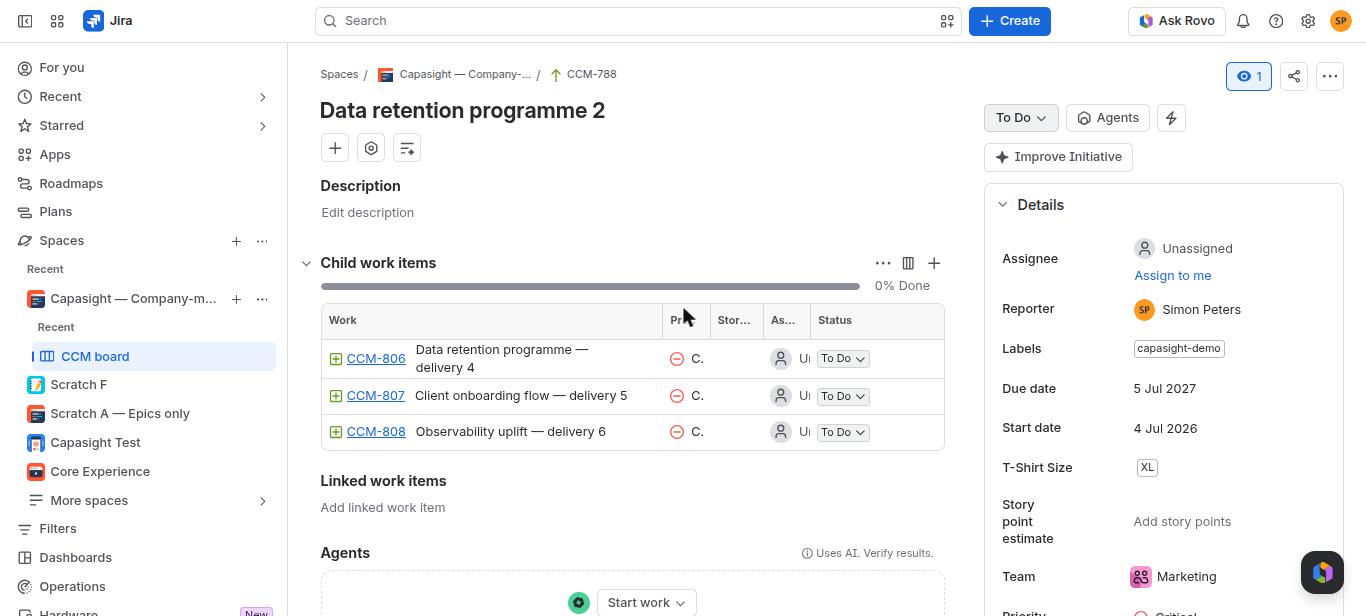
CCM-788 appears with its forecast and evidence gaps; inspect the work and capacity around the commitment.
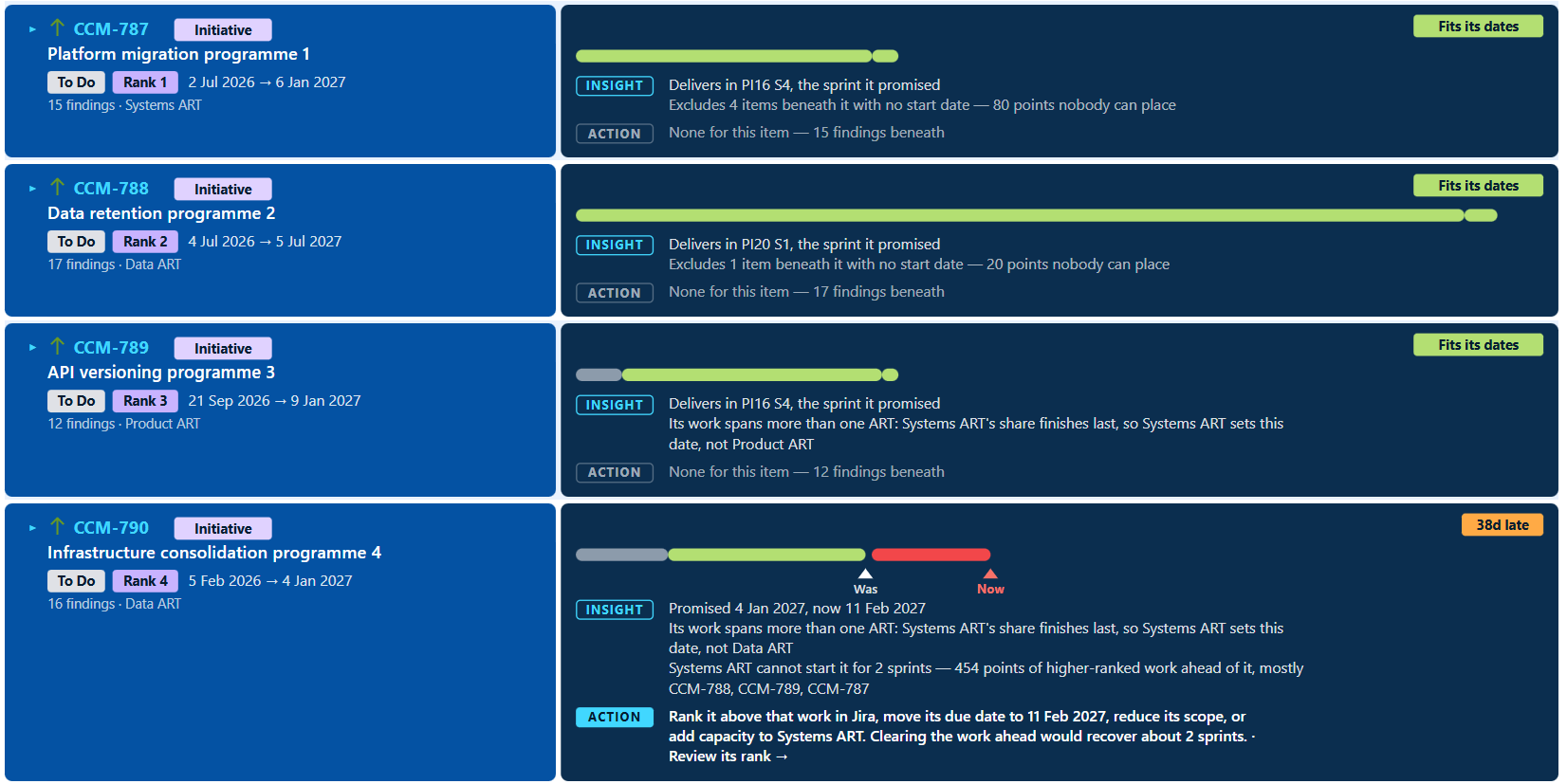
Interim sample captures. Matched sandbox screenshots will replace these examples before final review.
Expand a screen for its purpose and a test-portfolio example.
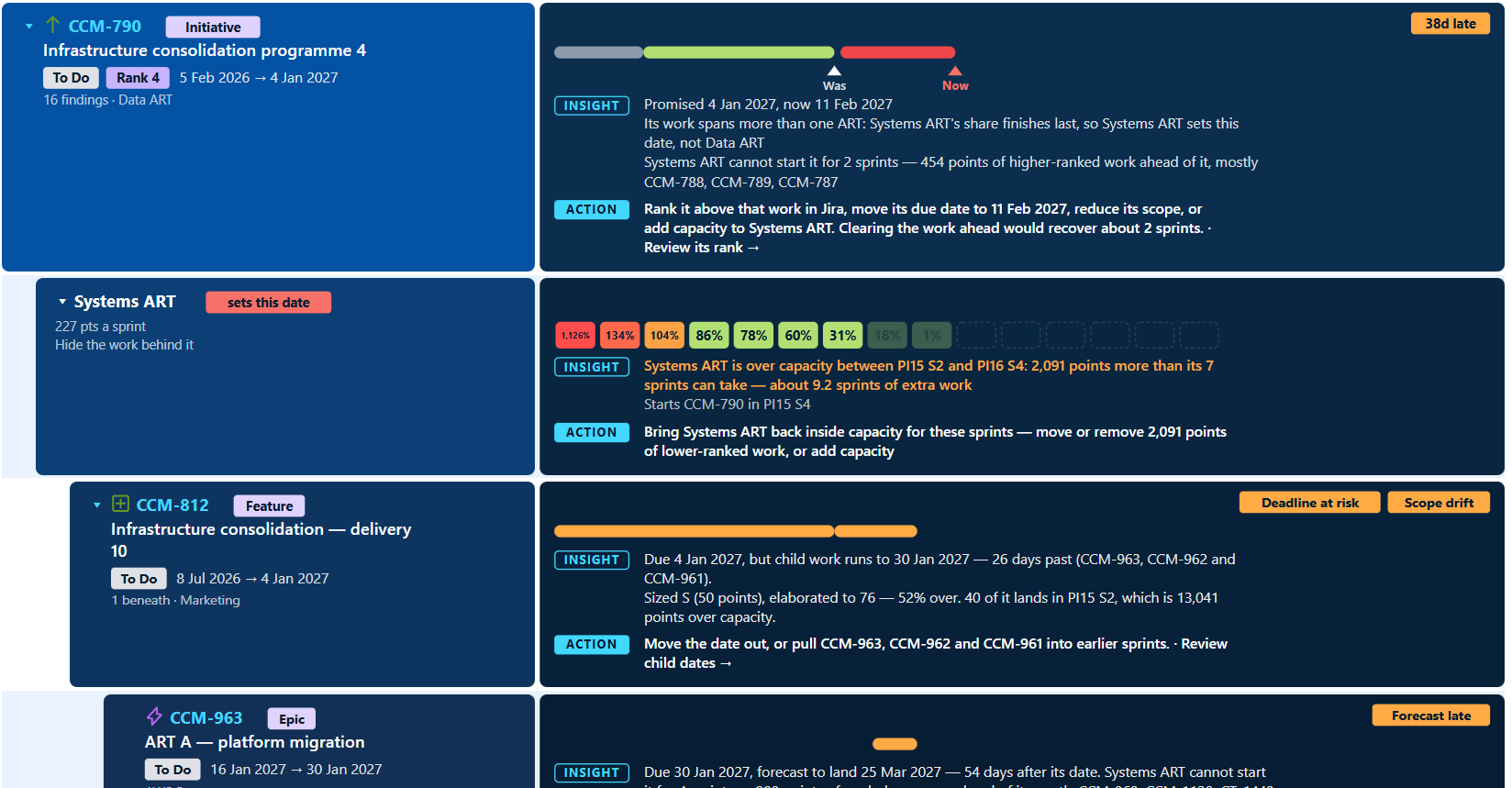
A separate Jira test example follows Infrastructure consolidation (CCM-790) into Systems ART and feature CCM-812. The expanded view connects date slippage, overloaded sprints and growing scope with the work beneath the initiative.
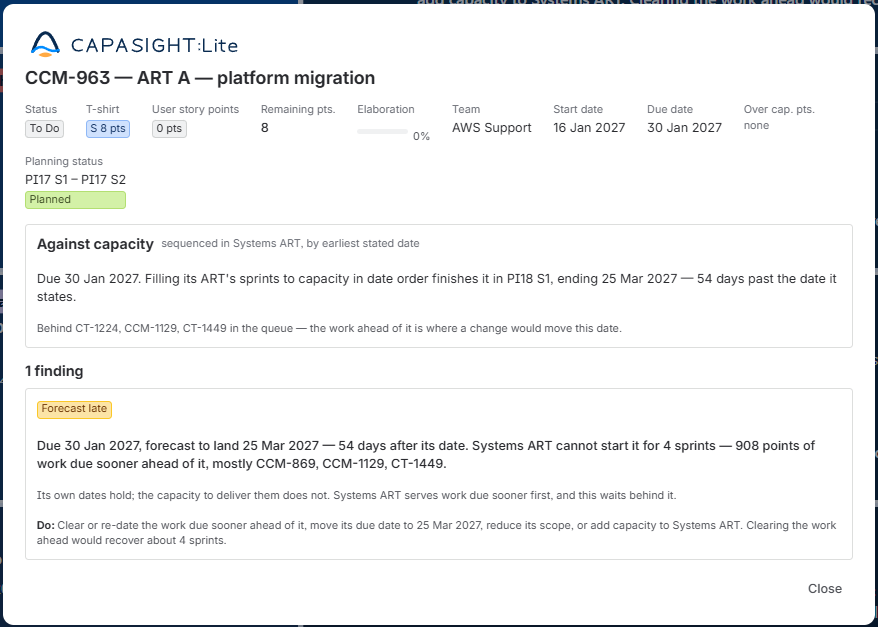
Continue to epic CCM-963 in the same drill-down. Its detail panel explains the forecast delay and the work ahead of it, with options to review dates, scope or capacity. These are illustrative test-portfolio findings.
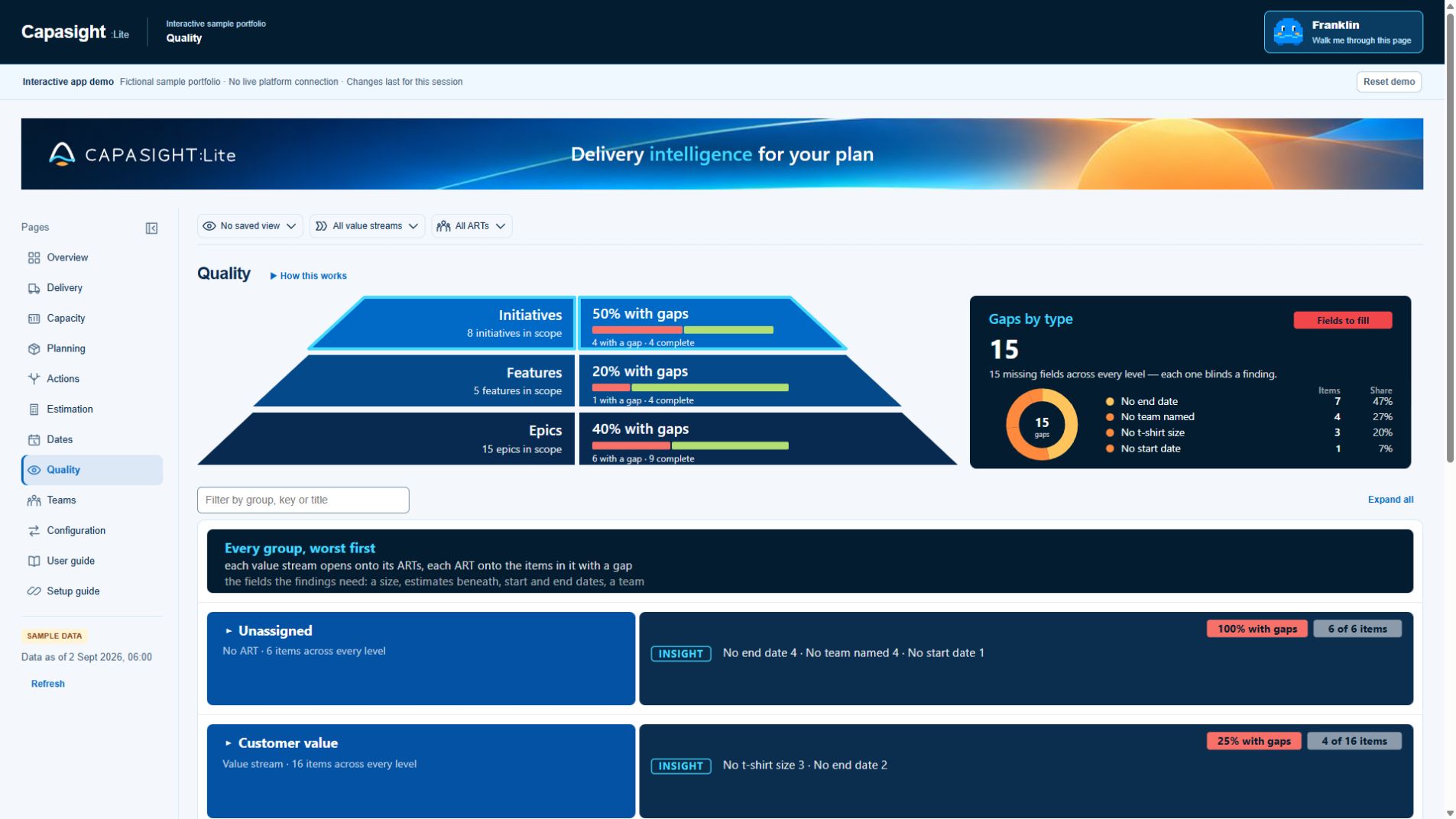
The shared app demo shows missing planning fields by hierarchy level, gap type and delivery group. Use this view to distinguish incomplete evidence from a healthy plan and locate the work that needs better inputs. This capture uses fictional demo data, not a connected Jira site.
Video coming soon.
Video coming soon.
Capasight:Lite for Jira Cloud
Indicative USD rate: $225/month at 100 seats. Jira-site user pricing; confirm the current price and billing terms before purchase.
| Jira-site user band | Per user / month | Example at band limit |
|---|---|---|
| Up to 10 | Free | Free, rather than a time-limited trial |
| 11–100 | $2.25 | $225/month at 100 |
| 101–250 | $1.82 | $455/month at 250 |
| 251–1,000 | $0.88 | $880/month at 1,000 |
| 1,001–2,500 | $0.53 | $1,325/month at 2,500 |
| 2,501–5,000 | $0.38 | $1,900/month at 5,000 |
| 5,001–10,000 | $0.25 | $2,500/month at 10,000 |
| 10,001+ | From $0.13 | Discuss your user count with us |
Monthly examples are in USD. Confirm your Jira-site user count, billing terms and the current purchase price with Capasight.
Inspect estimates, emerging scope, delivery dates and capacity in Jira Cloud. Move from your configured issue hierarchy into team, ART and value-stream views, then follow findings to the work behind them.
Capasight:Lite is a read-only Jira Cloud app built on Atlassian Forge. Missing estimates, dates or configuration can leave work unjudged; a blank finding is not evidence that a plan is safe. See Security and Privacy for the access and data-handling detail.
The in-app Configuration, User guide and Setup guide support setup and use. You can also explore the sample portfolio with Franklin’s page-by-page walkthrough before working with your own data. The website demo uses fictional data and is not connected to your Jira site.
It uses your configured issue relationships, estimates, planning dates, teams and sprints. Quality shows where missing inputs prevent a finding from being judged.
No. Capasight:Lite inspects Jira read-only and uses the permissions of the person viewing it.
The Smartsheet and Jira connection is a hosted Capasight integration. It is not included in Capasight:Lite.
Talk through the plan you need to inspect and the evidence available in your tools.