Keep the tools your teams use
Your PMO’s sheet sits above the Jira work your teams already plan, connecting portfolio objectives to delivery evidence.

Planning & delivery intelligence
Your portfolio in Smartsheet. Your delivery in Jira. One shared picture.
Hosted Capasight connects your Smartsheet portfolio with the delivery work in Jira. PMOs and delivery leaders can inspect the same hierarchy, compare commitments with the work beneath them, and follow findings to a practical action.
Your PMO’s sheet sits above the Jira work your teams already plan, connecting portfolio objectives to delivery evidence.
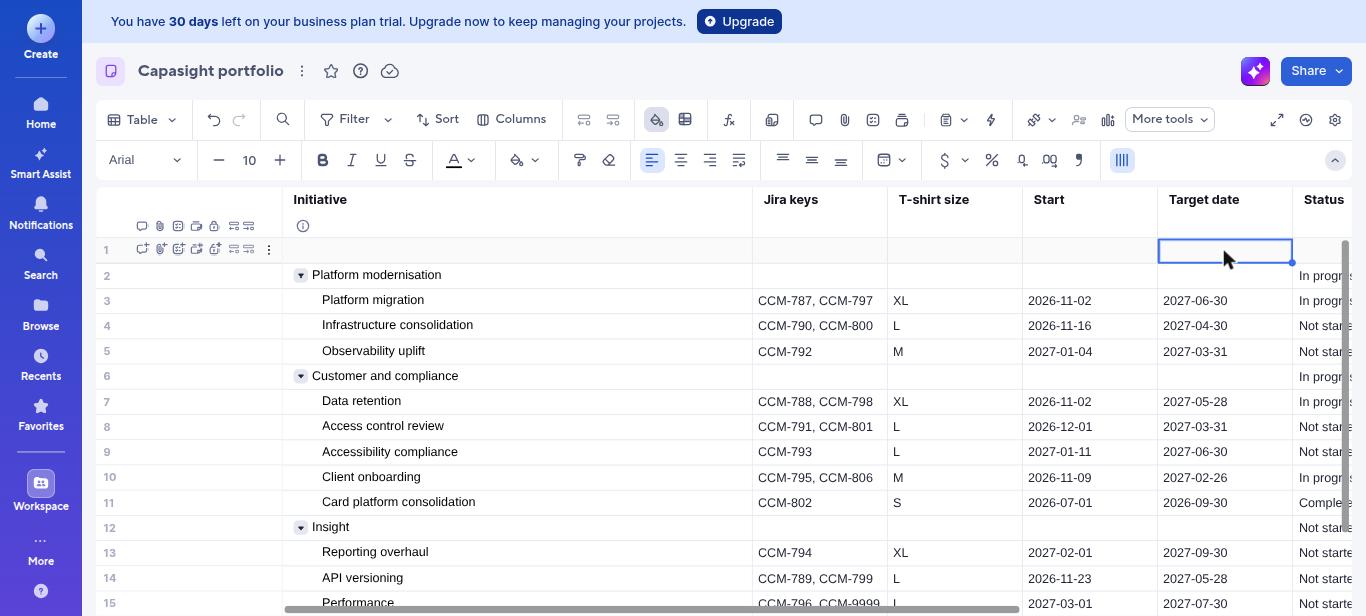
Compare the dates and sizes in Smartsheet with the Jira work beneath them to see where the two plans diverge.
See what needs attention and whether to review the portfolio date or the timing of the underlying Jira work.
Keep the planning view your teams use. Add the scope, date and capacity context behind the commitment.
The sheet’s indentation identifies its parent and child rows. Jira keys on each row identify the delivery work beneath it. Capasight uses those recorded relationships and shows what does not join; it changes neither source.
Data retention · same test-portfolio commitment
Data retention names the Jira work and promises 28 May 2027.
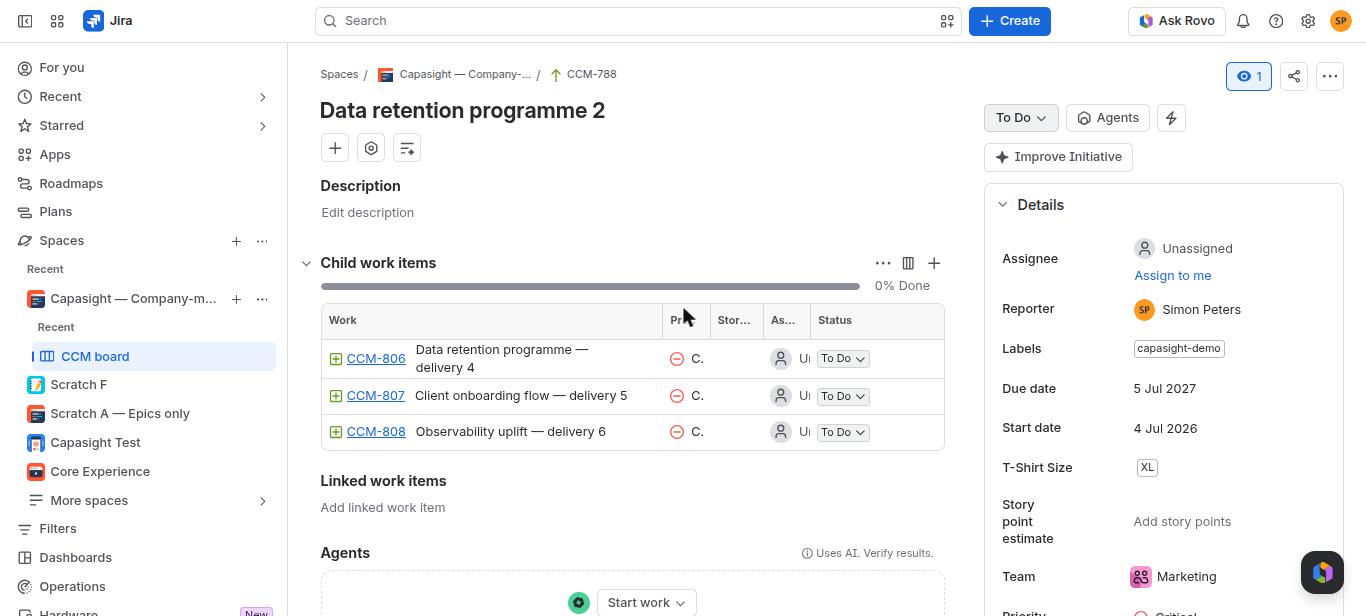
The linked Jira work runs to 5 July 2027: a 38-day gap, with a suggested action.
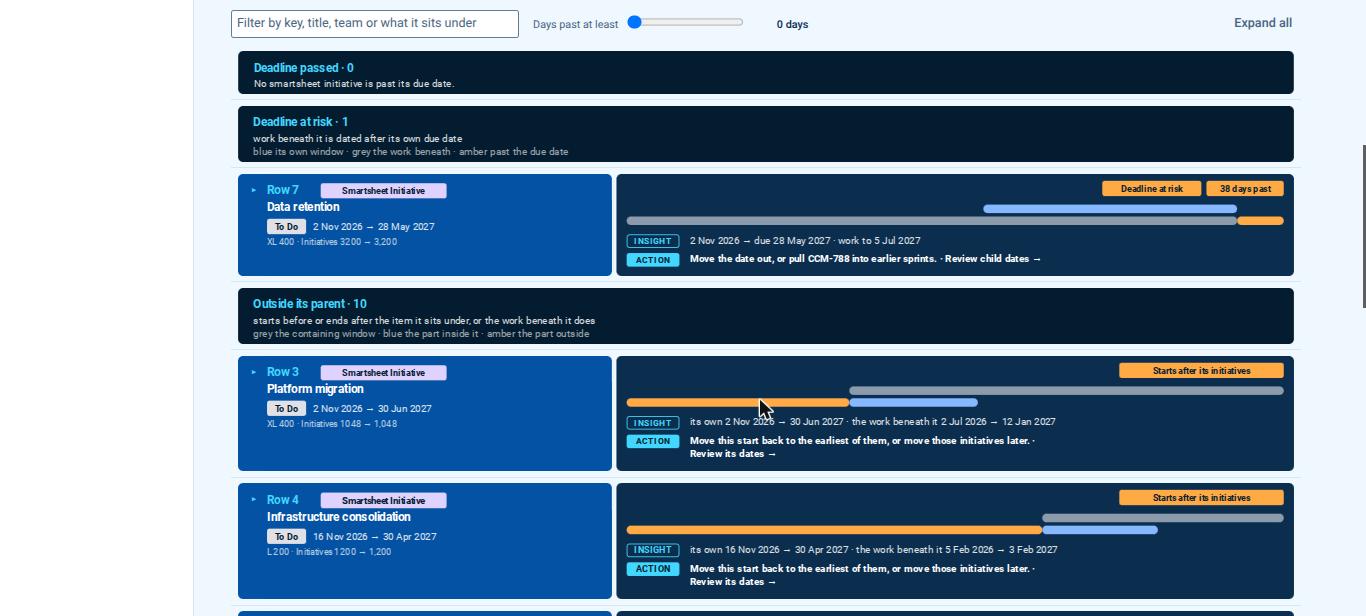
Source-pack test portfolio, not customer data. Both views show the Data retention commitment; open either capture to inspect it at full size.
Expand a screen for its purpose and a test-portfolio example.
Smartsheet row 7 sits under the Customer and compliance theme. It names CCM-788 and CCM-798 and promises 28 May 2027. Jira initiative CCM-788 contains features CCM-806, CCM-807 and CCM-808, with epics and stories beneath them and work planned to 5 July 2027. The joined view exposes the 38-day gap; the suggested action is to review the portfolio date or bring the linked Jira work into earlier sprints.
See the sheet’s Themes and initiatives alongside Jira’s Initiatives and Features. Each level shows lateness and demand against capacity, connecting the portfolio commitment with the delivery work behind it. All figures shown are from the test portfolio.
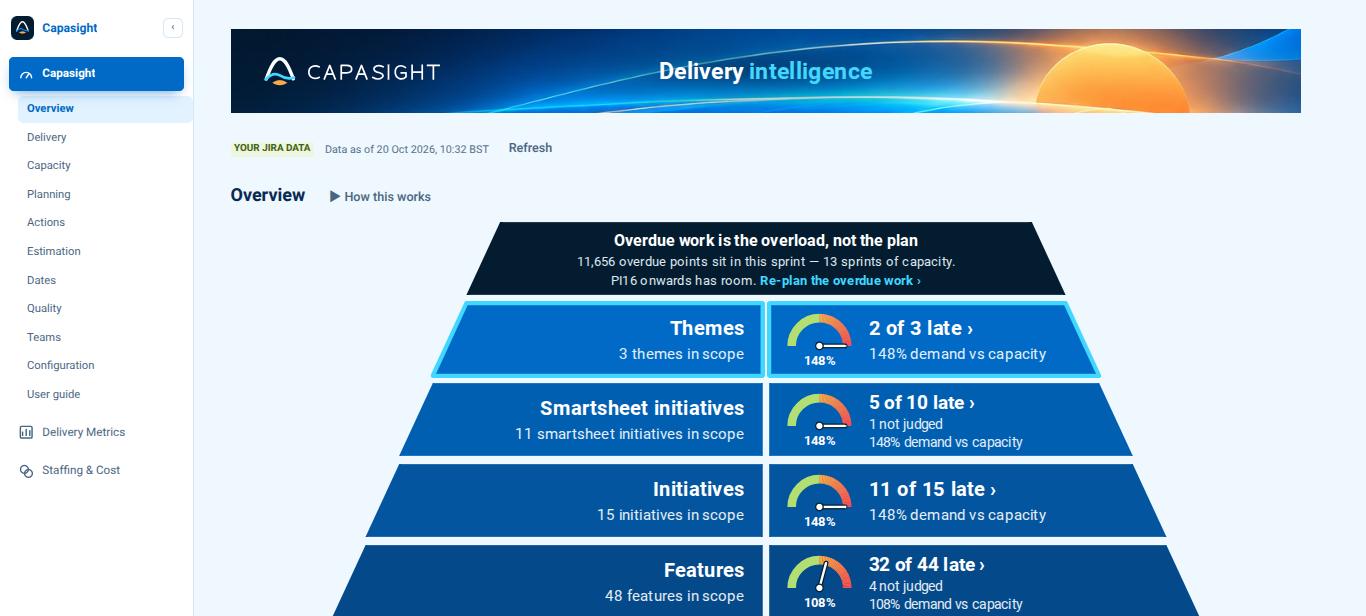
Inspect the Smartsheet levels using the names your PMO recognises. In this test portfolio, 91% of the Smartsheet initiatives show a date problem when the Jira work beneath them is considered. This is an example finding, not a customer result.
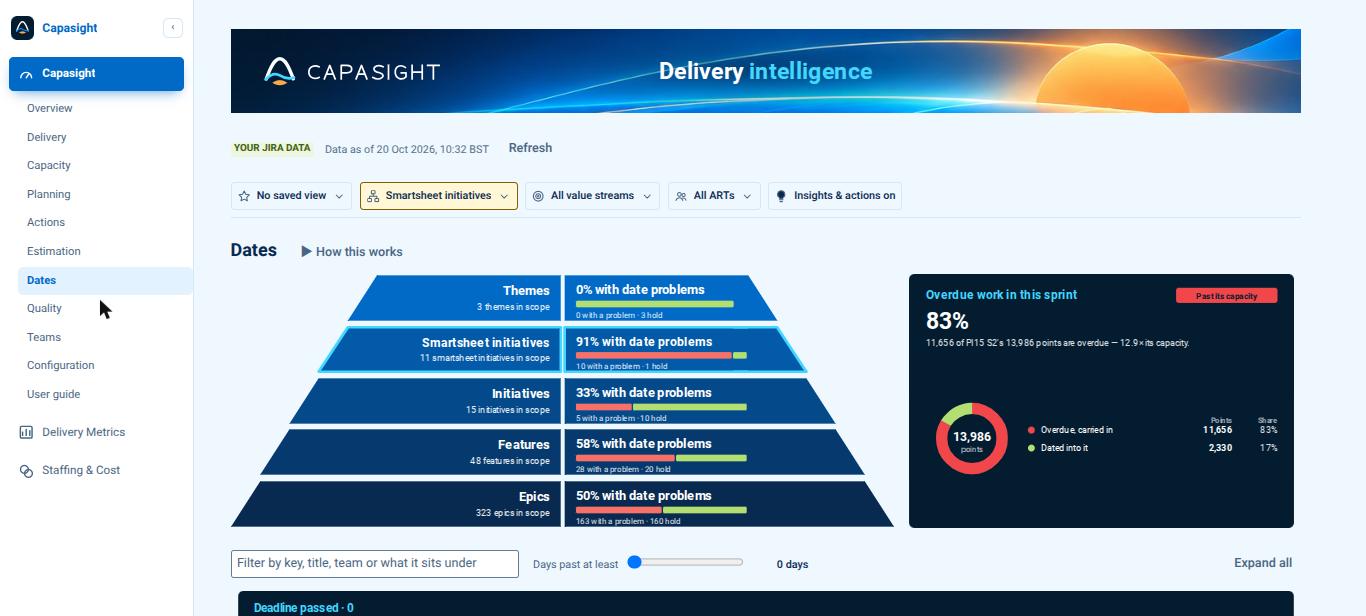
Review Jira keys that cannot be found, rows linked to an item lower down an existing Jira chain, rows without Jira keys, and open Jira work that no sheet row claims. These checks make gaps in the joined picture visible before you rely on it.
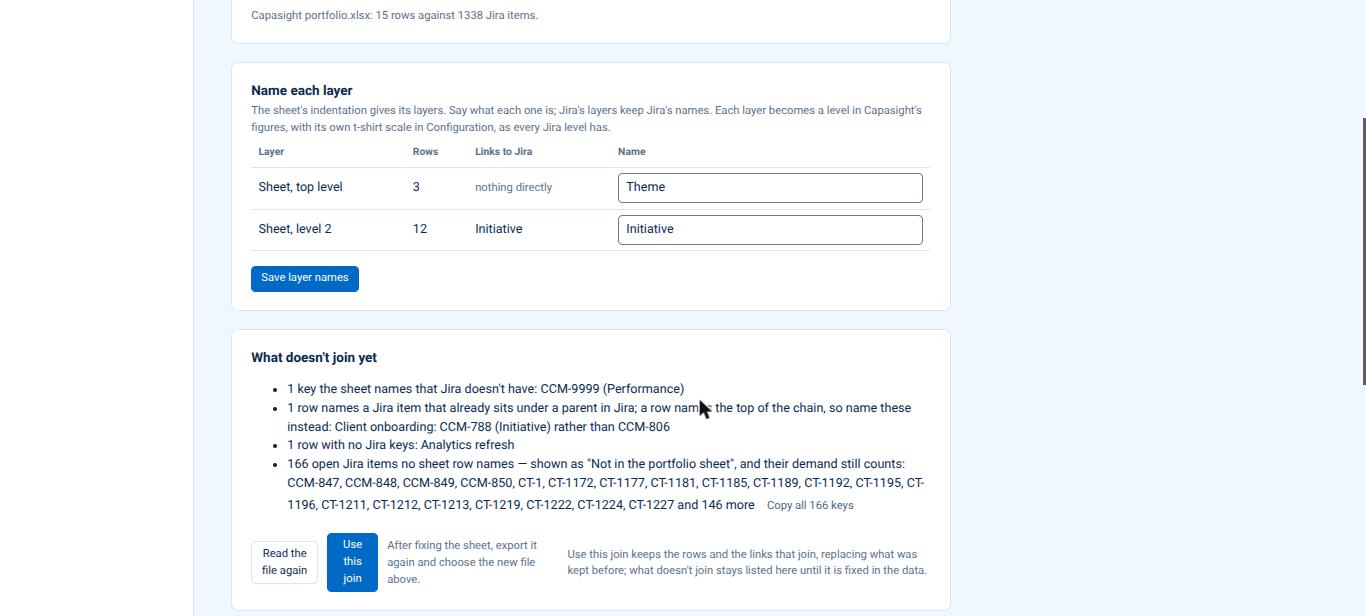
Follow each sheet row to the row it is indented beneath and the Jira items whose keys it records. Unrecognised Jira keys are marked on their row, so you can review the source data rather than accept a guessed relationship.
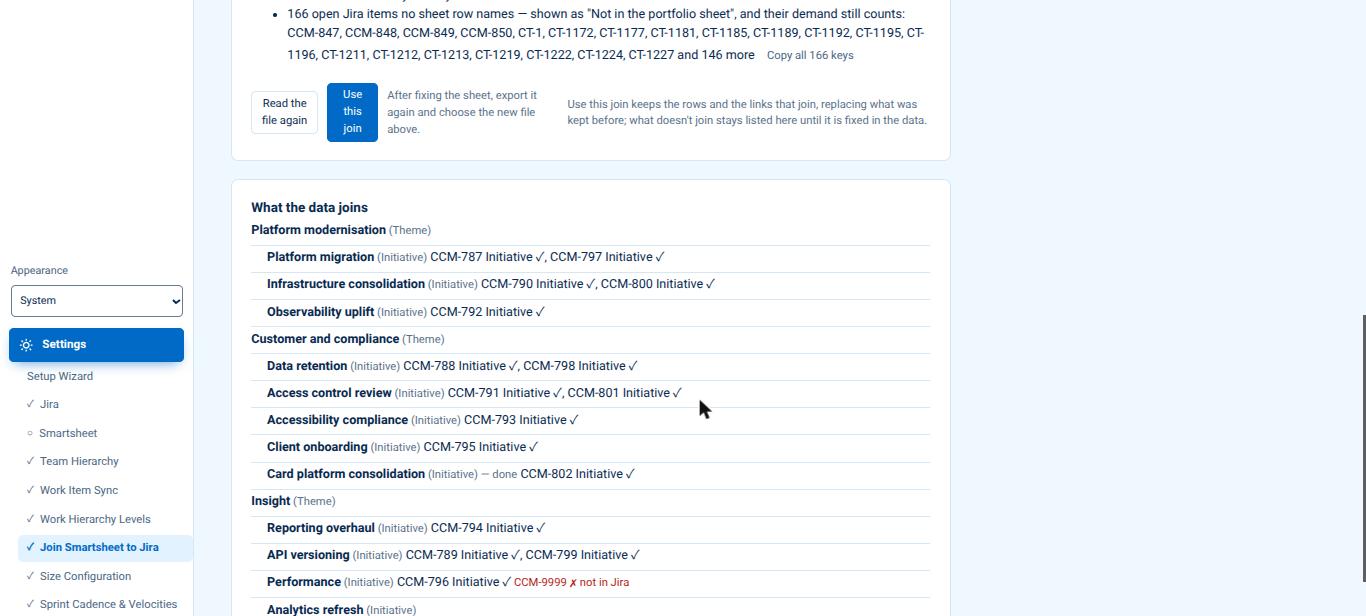
Name each Smartsheet layer and give it its own t-shirt scale alongside the Jira levels. Inspect scope and demand in a consistent unit across the joined portfolio, while retaining the distinctions between levels.
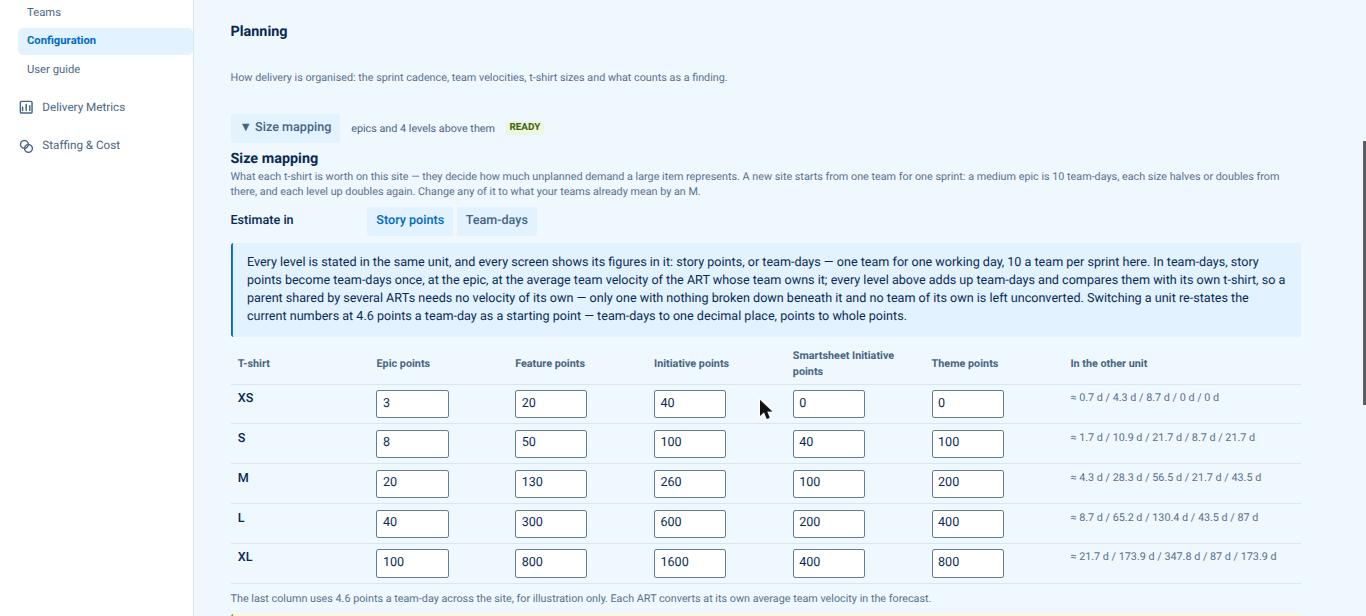
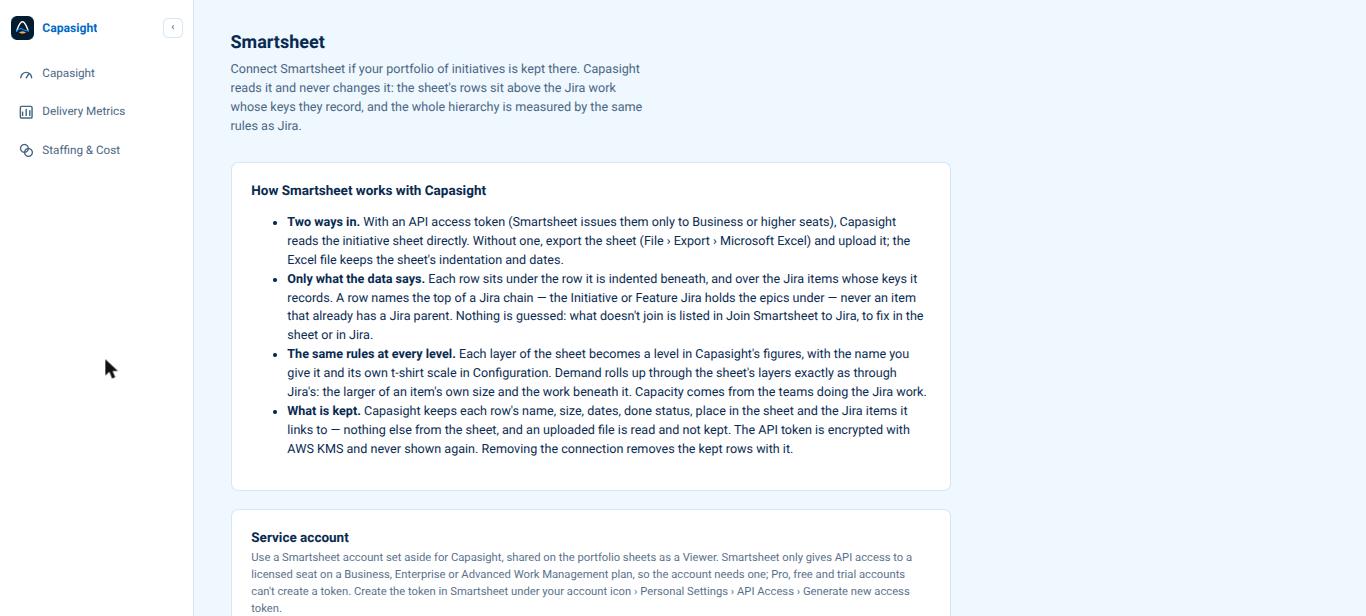
Connect through a service account with Viewer access, or upload an Excel export. Settings explains the inputs used, the joined structure and what Capasight retains. The API route requires Smartsheet Business or higher; Excel export works with any plan.
Smartsheet + Jira · Hosted Capasight
Connect your Smartsheet portfolio to Jira delivery in hosted Capasight. Discuss the planning scope, connections and deployment requirements with us; no separate Smartsheet app rate is published.
This connection is not included in Capasight:Lite, the Azure DevOps extension or the monday.com app. Your Smartsheet and Jira subscriptions are separate; API access needs Smartsheet Business or higher, while any plan can use an Excel export.
Capasight reads the sheet when asked and changes neither source. An Excel upload is a snapshot, not an ongoing connection. Uploaded files are read and not kept.
Read the security detail for this application → · Hosted Capasight only.
The sheet’s indentation identifies parent and child rows. Jira keys on each row identify the delivery items beneath it. Capasight uses those explicit relationships and shows what does not join.
Smartsheet is supported in hosted Capasight. It is not in Capasight:Lite for Jira, the Azure DevOps extension or the monday.com app.
The API connection needs a Smartsheet Business plan or higher. An Excel export can be used from any Smartsheet plan.
Capasight reads the sheet when asked; an Excel upload is a snapshot. It writes to neither Smartsheet nor Jira and does not replace Smartsheet’s Jira Connector.
The uploaded file is read and not kept. Removing the connection removes its imported rows; those rows leave daily backups within 30 days.
Only each row’s name, t-shirt size, dates, done status, position in the sheet and named Jira items are retained. Uploaded files are read and not kept. Removing the connection removes the imported rows; they leave daily backups within 30 days.
Talk through the plan you need to inspect and the evidence available in your tools.