See pressures across the plan
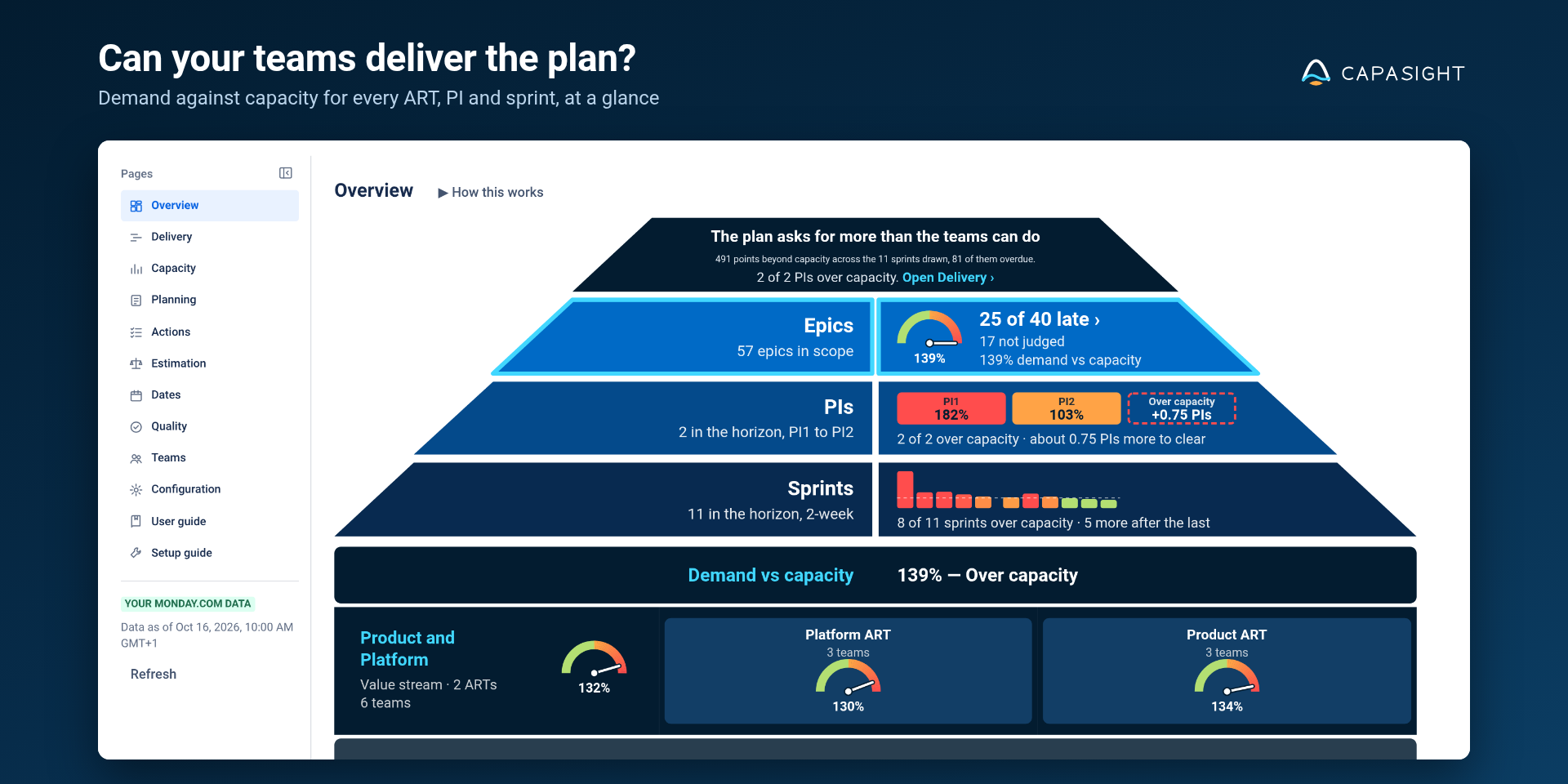
Inspect epic commitments against demand, team capacity and the sprints carrying the work.

Planning & delivery intelligence
Connect your monday dev epics with delivery capacity.
Capasight for monday.com connects epic commitments with the tasks, teams and sprints behind them. Inspect capacity and delivery forecasts, and ask Franklin about the Capasight page you have open in monday sidekick.
Marketplace listing pending approval
Inspect epic commitments against demand, team capacity and the sprints carrying the work.
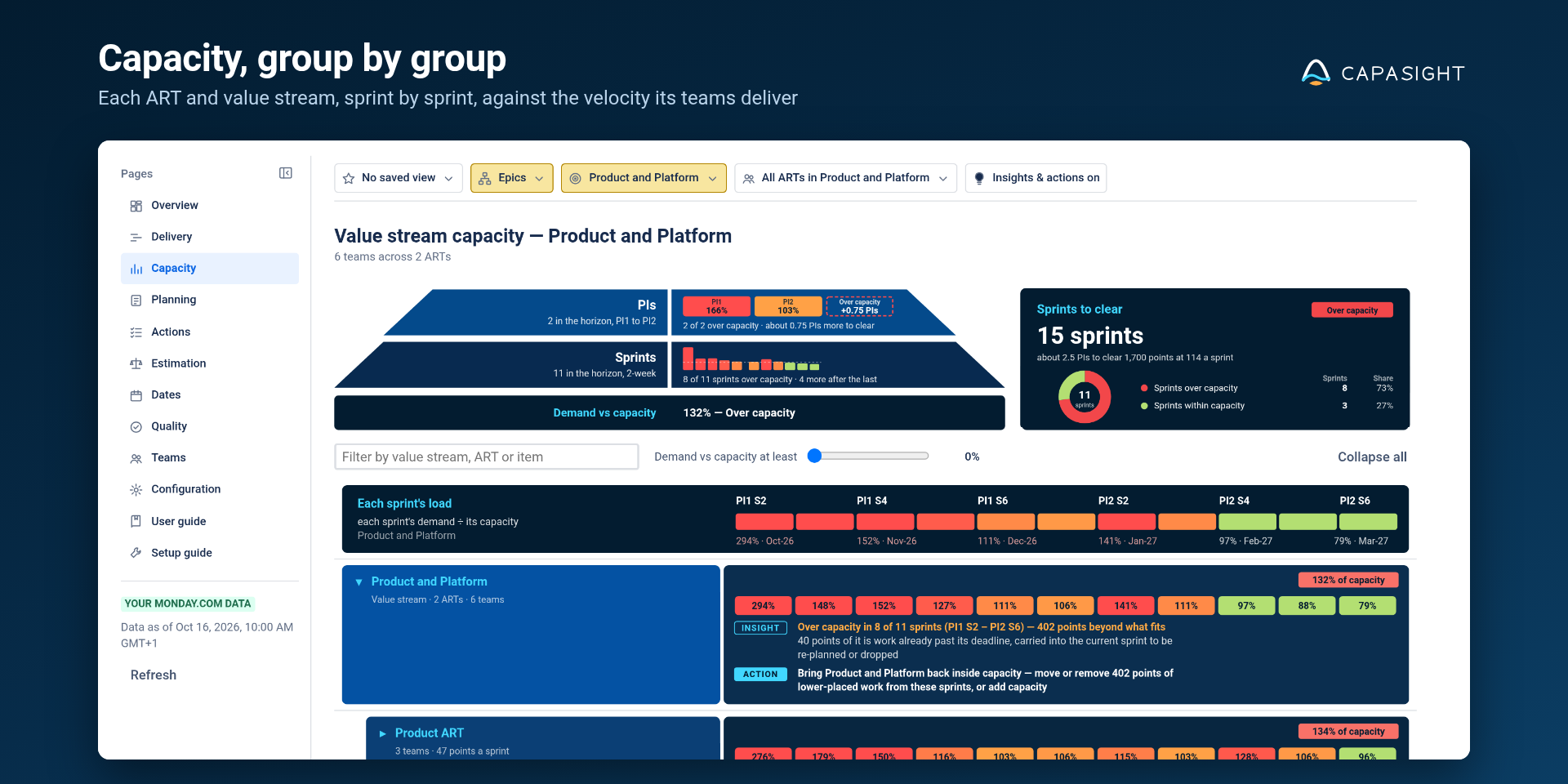
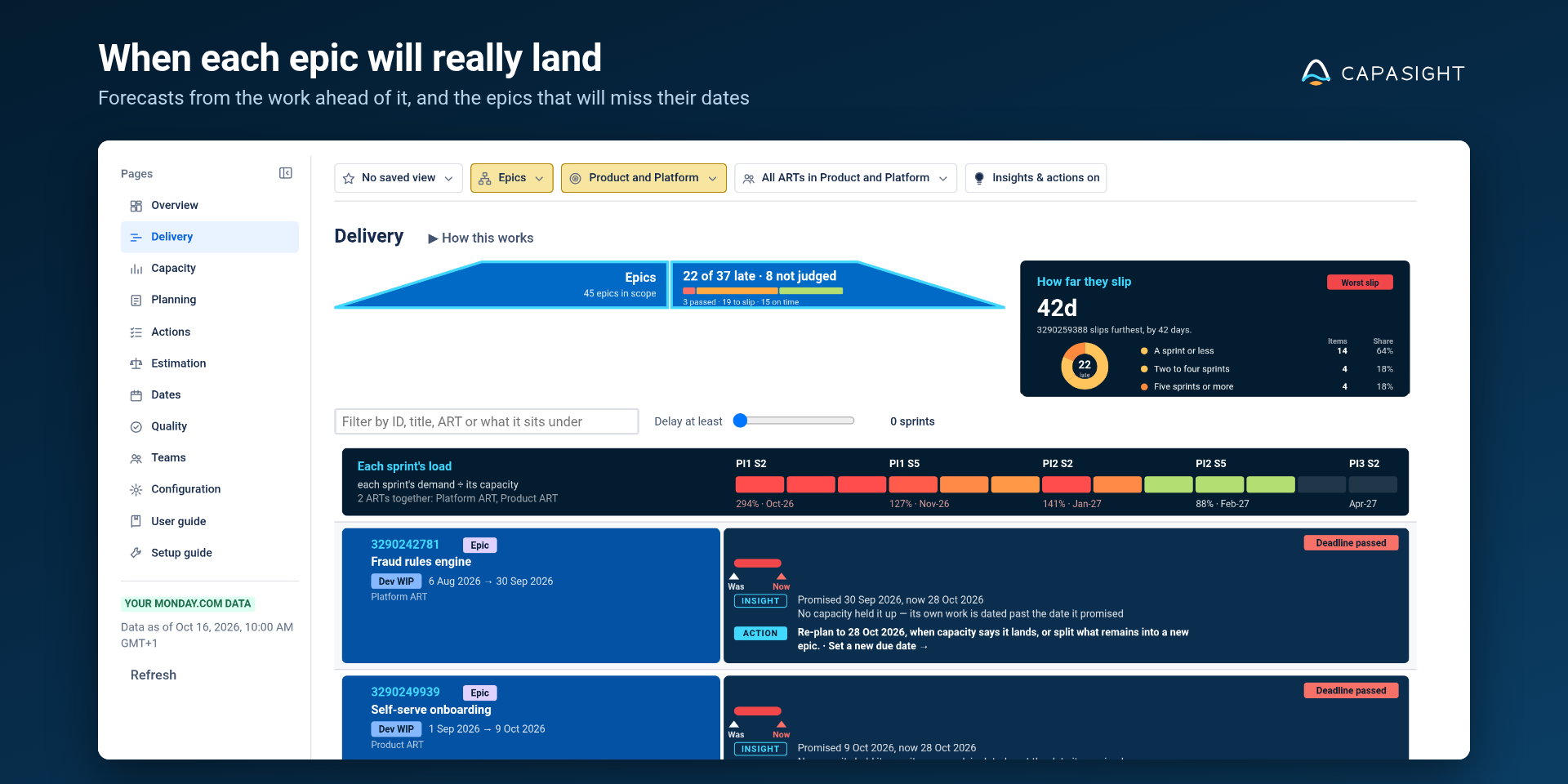
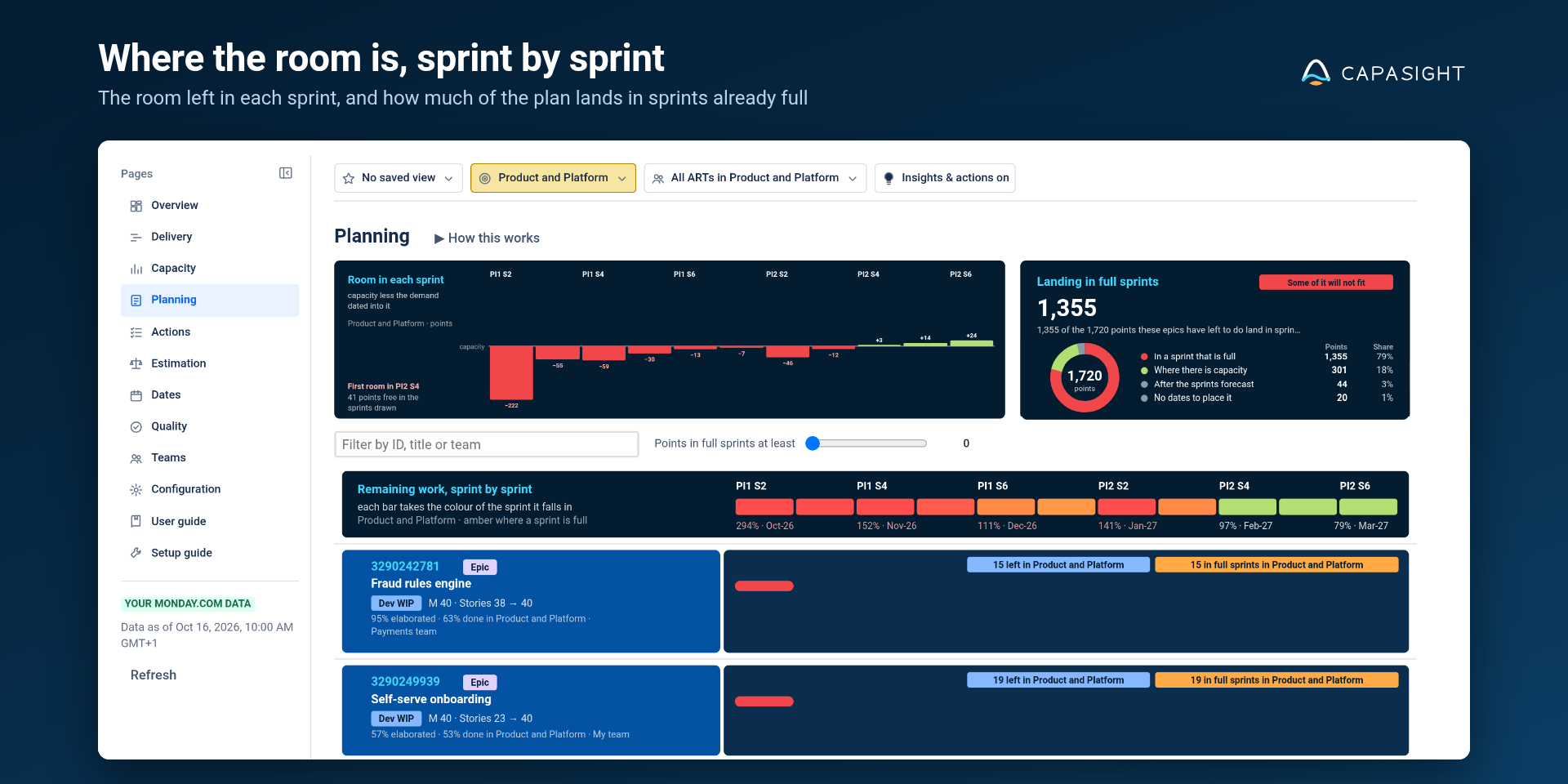
Move from Overview into Delivery, Capacity, Actions and Planning to understand what could change.
Use monday sidekick to ask about the Capasight figures for the page, filter or item you are inspecting.
Keep the planning view your teams use. Add the scope, date and capacity context behind the commitment.
SEO landing pages · same sample epic
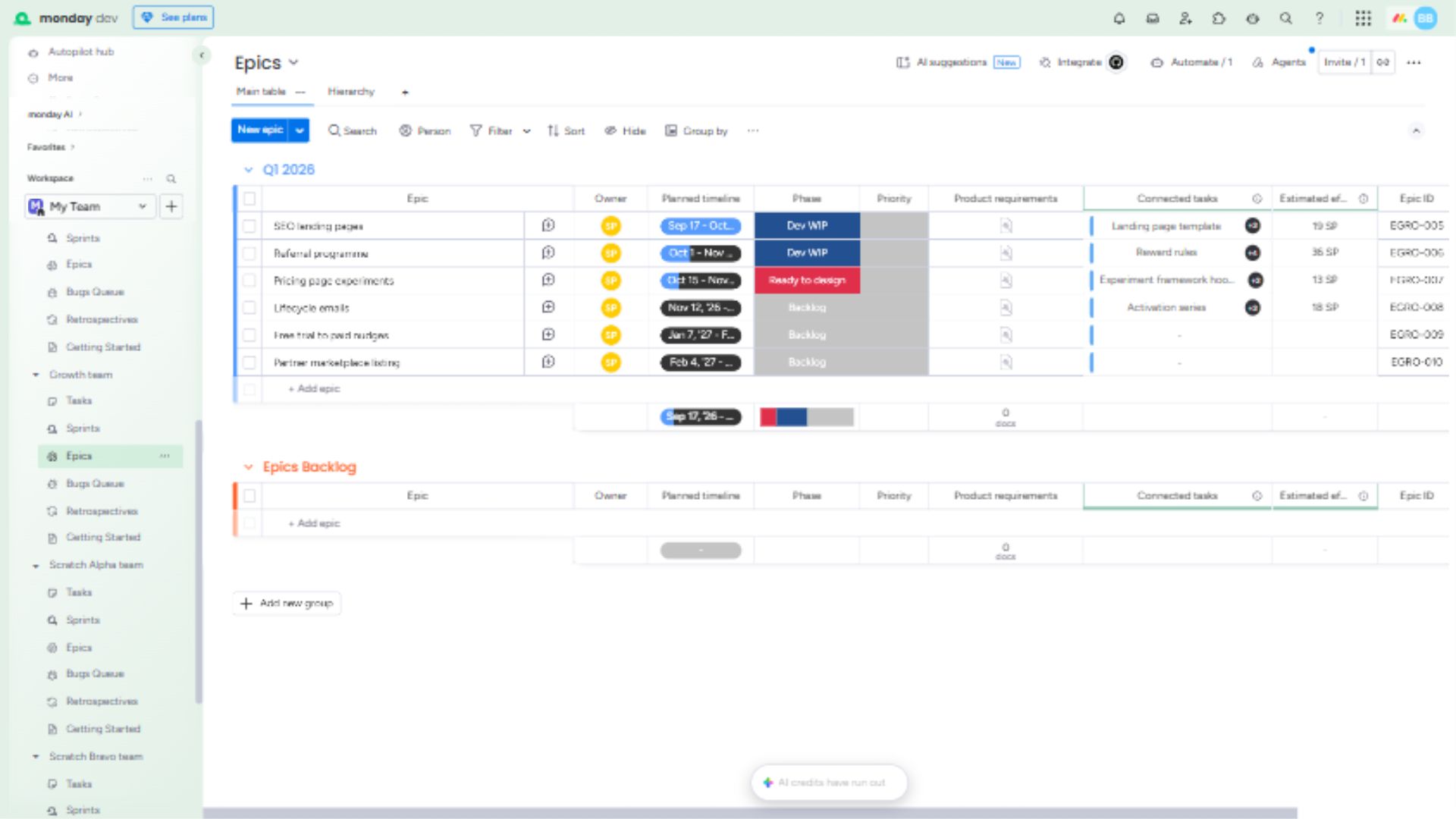
The source board records SEO landing pages and its planned timeline.
Capasight shows SEO landing pages with a deadline finding and suggested action.
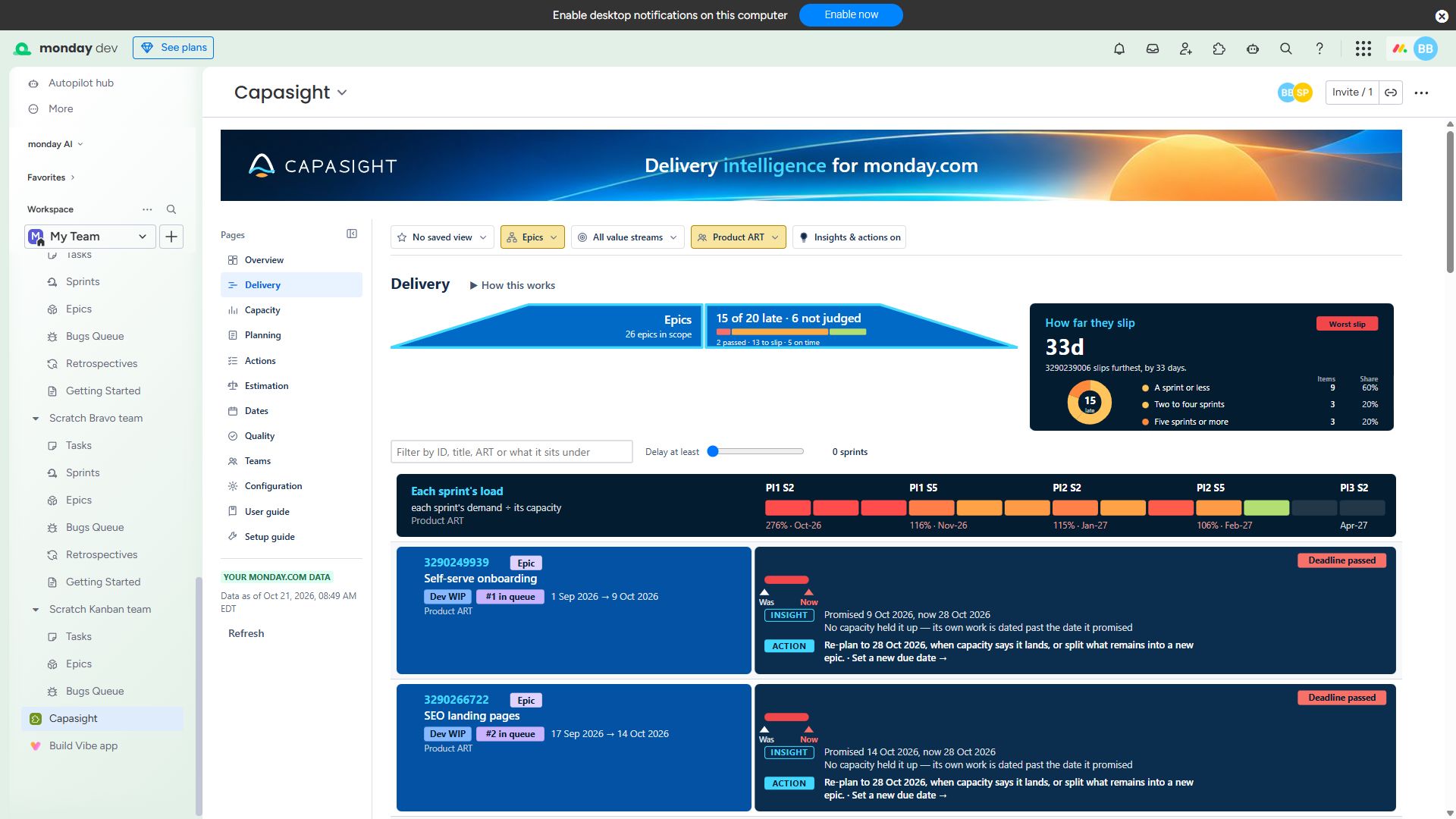
Interim sample captures. Matched sandbox screenshots will replace these examples before final review.
Expand a screen for its purpose and a test-portfolio example.
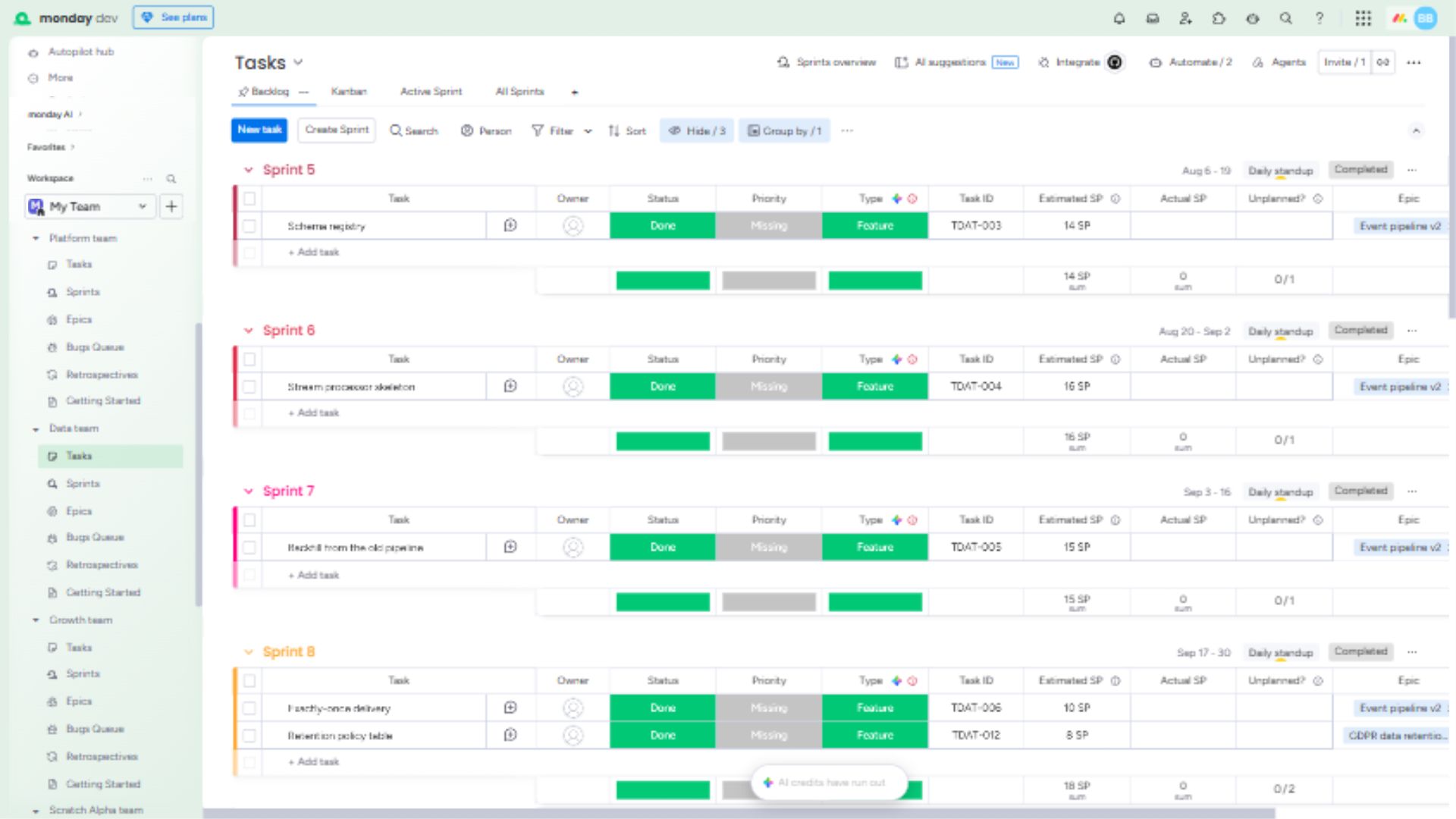
The monday dev test board shows task estimates, sprint groupings and linked epics. These recorded relationships provide the planning context behind the Capasight views; this capture is a separate input example, not a matched before-and-after result.
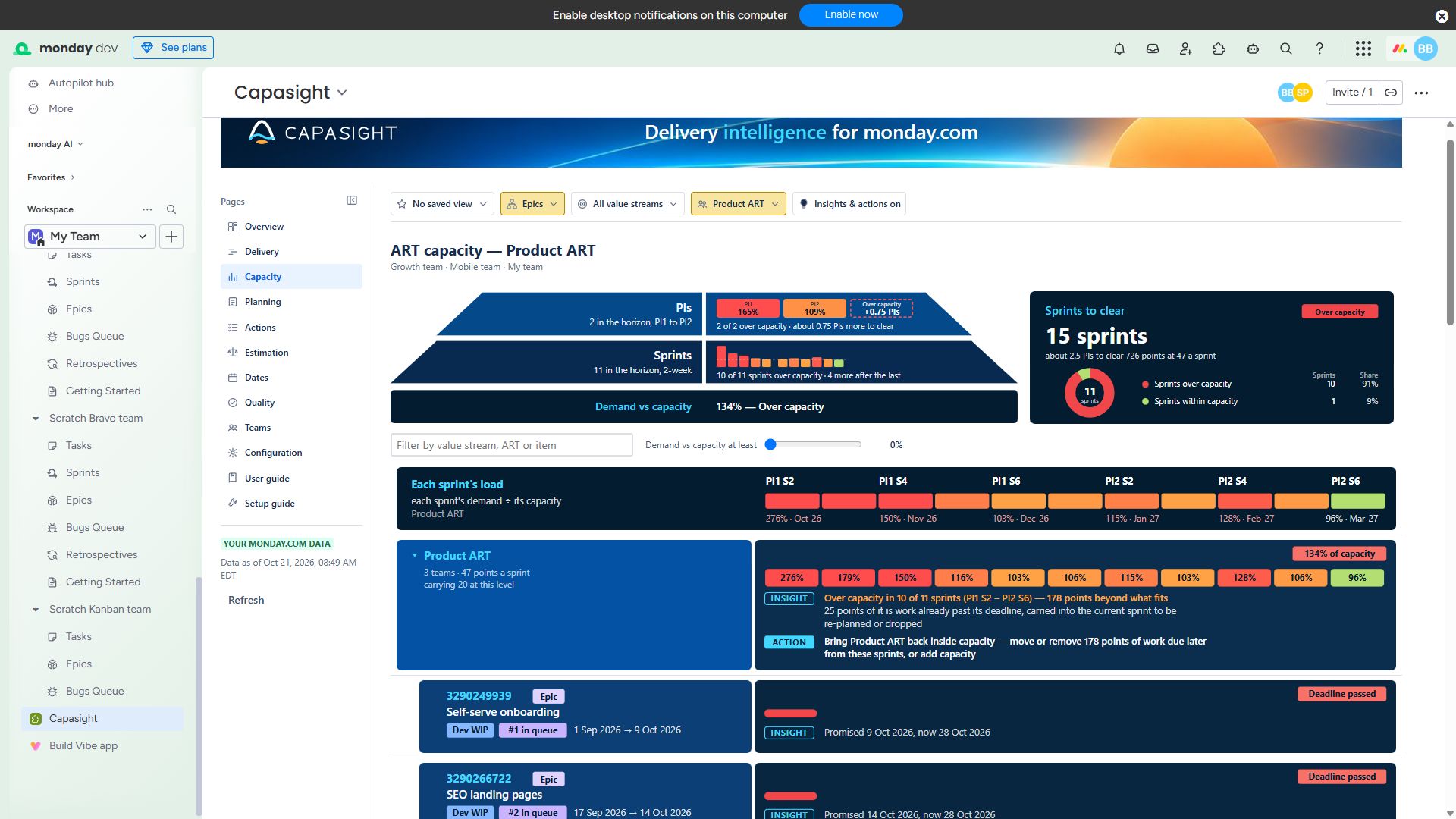
The Product ART example narrows the view to the teams carrying its demand. Inspect overloaded sprints, unfinished work and the suggested action alongside the epics competing for that capacity.
Ask Franklin through monday sidekick about the Capasight page, filters or item you have open. A captured example conversation will be added here alongside the planned Franklin video.
Screenshot coming soon
Play the overview here, or watch on YouTube →.
Video coming soon.
Capasight for monday.com
Marketplace listing pending approval. The planned model is per-seat billing through monday.com, with free access for accounts of up to 10 seats. Paid rates and trial terms will be published when the listing is approved.
Your monday.com subscription and any AI credits used by Franklin are separate from the Capasight app subscription.
Bring the demand in your monday dev epics together with the capacity of the teams doing the work. Inspect delivery forecasts, overloaded sprints and suggested actions across the groups you plan together, including ARTs and value streams.
Capasight reads as the person using it. You see only boards your monday.com permissions allow, and it writes nothing to your boards.
Franklin answers questions about the Capasight page, filters and item you have open, using Capasight’s figures from the boards you can see.
Sidekick asks for approval when it uses Franklin. Franklin only reads and uses your account’s monday.com AI credits. Capasight’s screens run in your browser; Franklin’s answers are processed on monday.com’s app hosting.
Account admins manage setup and settings. Members of the planner team nominated by an admin can change planning settings. Other members read the figures and save shared views; viewers and guests can read and apply saved views.
User guide explains the figures; Setup guide covers configuration inside the app. The monday.com installation guide is also available from the marketplace and inside monday.com. For help, contact us.
The app uses monday dev teams’ Epics, Tasks and Sprints boards, with task links, estimates and dated sprints.
Franklin answers questions from Capasight’s figures for the boards you can see. Each person enables the tools; sidekick asks for approval, and use draws on your monday.com AI credits.
The listing is pending approval. Contact Capasight about availability; confirmed paid rates and trial terms will be published with the approved listing.
Talk through the plan you need to inspect and the evidence available in your tools.